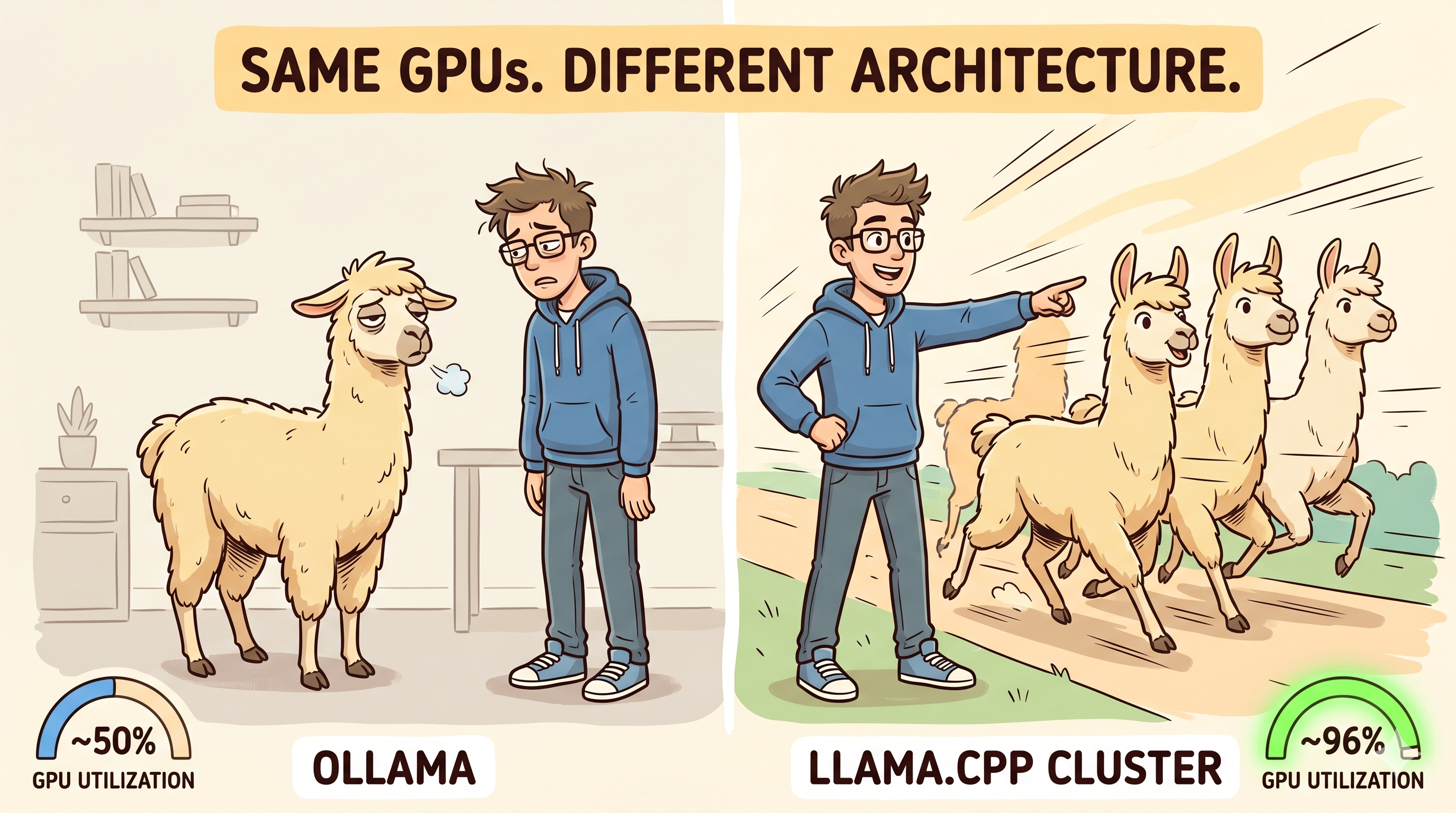
Ollama is the best way to run a local LLM for the first time. Download, pull a model, prompt it. You are running inference on your own hardware in under five minutes.
But Ollama is a convenience layer, not a serving layer. When you move from "one person typing prompts" to "multiple agents hitting an endpoint under sustained load," the abstraction that made Ollama easy starts hiding the decisions that determine whether your GPUs are working or waiting.
This post walks through what changes when you strip Ollama out and serve directly with llama-server — the inference engine that Ollama itself wraps — and how to build a multi-GPU cluster with nothing but systemd and nginx.
Where Ollama Runs Out of Road
Ollama is a model management layer on top of llama.cpp's inference engine. It adds a REST API, handles model downloads and quantization variants, and provides a clean CLI. For single-user interactive use, it is genuinely good.
The friction starts when you need your GPUs to do more:
- GPU topology is opaque. Ollama decides how to distribute a model across GPUs. On multi-GPU machines, it defaults to tensor parallelism — splitting the model across cards. For models that fit on a single GPU, this is the wrong topology for throughput (more on that below), and Ollama does not expose the choice.
- Concurrency is constrained. Ollama can handle parallel requests, but you cannot independently configure context size, slot count, or batch parameters per GPU. Every request funnels through one process.
- Model swapping burns time under mixed workloads. If you serve multiple models, Ollama swaps them in and out of VRAM. Under load, this introduces latency spikes that are invisible until you profile.
- No native load balancing across nodes. Scaling beyond one machine means building the routing layer yourself anyway — at which point the convenience layer is no longer saving you work.
None of these are bugs. They are tradeoffs Ollama makes to keep the interface simple. When simplicity is what you need, those tradeoffs are correct. When throughput is what you need, they are not.
llama-server: Same Engine, No Abstraction Tax
llama-server is the HTTP serving binary from llama.cpp — the same inference engine Ollama uses internally. Calling it directly gives you control over everything Ollama abstracts away:
- Pin a process to a specific GPU with
CUDA_VISIBLE_DEVICES - Set context window size, concurrent slots, and batch parameters explicitly
- Run continuous batching for concurrent request handling
- Expose an OpenAI-compatible API endpoint that drops into existing tooling
The API is compatible with any client that speaks the OpenAI chat completions format. Your application code does not change — only the serving layer underneath.
The Topology Decision That Doubles Your Throughput
This is the single biggest performance lever, and Ollama does not let you pull it.
When a model fits on one GPU, you have two choices:
Layer splitting: one process, model layers distributed across GPUs. GPU 0 computes its layers, passes the result to GPU 1, which computes the rest — then waits while GPU 0 starts the next token. Each GPU is idle while the other works. This is what Ollama and llama.cpp's --tensor-split flag control by default on multi-GPU machines.
One process per GPU: each GPU runs an independent llama-server with its own full copy of the model. A load balancer distributes requests across them.
On our cluster — two nodes, two Tesla P40s each, serving a 21 GB model — the difference was not subtle:
Layer-split (1 process, 2 GPUs):
  GPU 0: 51% utilization | GPU 1: 49% utilization

One process per GPU (2 independent instances):
  GPU 0: 96% utilization | GPU 1: 96% utilization
Same cards, same model, same workload. The layer-split topology left half the compute on the table because the GPUs take turns — one computes while the other waits. Independent processes eliminate this serialization entirely — each request runs fully on-card, both GPUs work simultaneously on different requests.
Layer splitting exists for models that do not fit on a single GPU. If your model does fit, running independent processes is the better choice for throughput under concurrent load.
Setting It Up: systemd + nginx
The entire serving infrastructure is two components. No Kubernetes, no orchestrator, no container runtime required.
One systemd unit per GPU
# /etc/systemd/system/llama-server-gpu0.service
[Unit]
Description=llama-server on GPU 0
After=network.target nvidia-persistenced.service
Requires=nvidia-persistenced.service

[Service]
Environment=CUDA_VISIBLE_DEVICES=0
ExecStart=/usr/local/bin/llama-server \
  --model /opt/models/your-model.gguf \
  --host 127.0.0.1 \
  --port 37081 \
  --n-gpu-layers 999 \
  --parallel 2 \
  --ctx-size 65536
Restart=always
User=llama

[Install]
WantedBy=multi-user.target
Duplicate for GPU 1 with CUDA_VISIBLE_DEVICES=1 and port 37082. Enable both. The node is serving.
--parallel 2 allocates two concurrent slots per instance. On a 24 GB card with a ~21 GB model, two slots is safe. If your model leaves more VRAM headroom, raise it — each slot costs KV cache memory proportional to your context size.
nginx as the load balancer
upstream llama_cluster {
    least_conn;
    server 127.0.0.1:37081;  # node 1 / gpu 0
    server 127.0.0.1:37082;  # node 1 / gpu 1
    server 127.0.0.1:37083;  # node 2 / gpu 0
    server 127.0.0.1:37084;  # node 2 / gpu 1
}

server {
    listen 37000;
    location / {
        proxy_pass http://llama_cluster;
        proxy_read_timeout 600s;
        proxy_buffering off;
        proxy_next_upstream off;
    }
}
Three settings that matter:
least_connroutes each request to the worker with the fewest active connections. Inference durations vary wildly — round-robin will pile long requests on one GPU while another idles.proxy_buffering offpreserves token streaming.llama-serversends tokens via Server-Sent Events; nginx's default buffering holds the entire response before forwarding it.proxy_next_upstream offprevents retry storms. When all slots on a worker are busy,llama-serverqueues the request internally. If nginx retries on "upstream busy," you double-submit the same prompt.
For remote nodes, autossh tunnels bring the upstream ports to the load balancer host. No VPN, no overlay network, no service mesh.
The result
A single endpoint (localhost:37000) that distributes requests across every GPU in the cluster, streams tokens back, and recovers gracefully if a node goes down — the remaining workers absorb the load without interruption.
Total infrastructure: llama-server (compiled from source or grabbed as a release binary), two systemd units per node, one nginx config. No Docker required, no model registry, no daemon managing GPU allocation.
When to Stay on Ollama
Ollama remains the right choice when:
- You are experimenting with models and want fast pull-and-run iteration
- Your workload is single-user, interactive, low concurrency
- You switch between many models frequently and want managed VRAM allocation
- You do not want to manage systemd units and nginx configs
The migration makes sense when you need sustained throughput under concurrent load, full control over GPU topology, or multi-node serving. The complexity cost is low — the entire cluster config is under 50 lines across three files — and the throughput gain is immediate.
Scaling: Adding Nodes Is a Two-Line Change
The architecture scales horizontally without touching any running component. A new node means:
- Copy the systemd units to the new machine, adjust GPU device IDs and ports
- Add two
serverlines to the nginx upstream block - Reload nginx
The existing workers never restart. The load balancer starts routing to the new capacity immediately. Removing a node is the reverse — delete the upstream lines, reload, decommission. No cluster membership protocol, no leader election, no state migration.
This is the operational payoff of independent workers behind a stateless load balancer: the cluster does not know how big it is, and it does not need to.
What This Is Not
The setup described here is a working foundation, not a production-hardened system. For a deployment serving external users or running in a regulated environment, you would want:
- TLS encryption via a reverse proxy like Traefik or Caddy in front of the cluster — the nginx config above serves plain HTTP on localhost only
- Authentication on the inference endpoint — API keys, mTLS, or an auth proxy in front of nginx to prevent unauthorized access
- A proper request queue like RabbitMQ or Celery for workloads that need guaranteed delivery, retry semantics, priority scheduling, or backpressure signaling —
llama-server's internal queue is in-memory and does not survive restarts
The bare systemd + nginx stack is enough for internal workloads, development clusters, and teams where the network perimeter is the trust boundary. It is deliberately minimal so you can layer on exactly the production hardening your environment requires.
Takeaway
Ollama wraps llama-server to make local LLM inference easy. When you need it to be fast and concurrent instead, remove the wrapper, pin one process per GPU, and let nginx route traffic. The serving layer is lightweight enough that the migration is an afternoon, the cluster scales by adding upstream lines, and the GPU utilization jump from ~50% to ~96% pays for the effort on the first sustained workload.